AI Guide
Create stunning developer workspace photos, tech setup aesthetics, dark mode coding environments, and programming-themed visuals using AI image prompts. Perfect for developers, tech YouTubers, and SaaS brands.

Create stunning developer workspace photos, tech setup aesthetics, dark mode coding environments, and programming-themed visuals using AI image prompts. Perfect for developers, tech YouTubers, and SaaS brands.
The coding aesthetic has become one of the most recognizable visual languages on the internet.
Dark terminals. Mechanical keyboards. Dual monitors glowing in a midnight room. Floating code on holographic screens. These visuals power millions of developer YouTube thumbnails, tech brand campaigns, SaaS landing pages, GitHub profile READMEs, and LinkedIn posts every single day.
In 2026, AI image generation makes it possible to create any of these visuals — in any style, any setup, any lighting — in seconds. No expensive camera gear. No rental studio. No 3-hour setup.
This is your complete guide to AI image prompts for coding and tech aesthetic photography.
The most versatile category. These prompts generate photorealistic images of actual developer desk setups.
Example Prompt:
Photorealistic developer workspace at night. A dual 27-inch monitor setup displaying VS Code with a dark theme and green syntax highlighting. A mechanical keyboard with translucent keycaps and soft RGB glow, a matte black mousepad, an AirPods case beside it, and a ceramic mug of coffee steaming gently. Soft ambient RGB lighting in purple and blue tones, wooden desk surface, modern home office, ultra-photorealistic, 8K.
Best for: YouTube thumbnails, LinkedIn posts, portfolio hero images
Moody, cinematic visuals focused on the coding environment itself.
Example Prompt:
Cinematic close-up of a MacBook Pro screen in a dark room displaying terminal code in green monospace font. Blue and purple ambient neon light reflecting on the aluminum lid. Keyboard keys subtly backlit. Empty coffee mug beside the laptop. Dark room, hacker aesthetic, film grain, cinematic wide shot, ultra-realistic.
Best for: Blog thumbnails, newsletter headers, course platform banners
Futuristic, abstract visuals with code, data streams, and technology elements floating in space.
Example Prompt:
Abstract digital art of floating TypeScript code snippets arranged in a spiral in a deep blue cyber void. Glowing holographic text, data streams cascading in the background, particle effects, neon blue and purple color palette. Futuristic technology concept art, Unreal Engine 5 render quality, ultra-detailed.
Best for: SaaS hero backgrounds, developer tool websites, course thumbnails
Clean, minimal visuals showcasing specific tech stacks and tools.
Example Prompt:
Clean minimal product photography of a developer's essential tools: a MacBook Air M3 open with code on screen, iPhone 15 Pro beside it showing a GitHub notifications app, AirPods Pro in case, and a small succulent. Arranged symmetrically on a white marble desk. Natural morning light, flat lay, top-down composition, editorial tech photography.
Best for: Blog covers, Twitter/X header images, App Store screenshots
Lifestyle photography featuring developers and tech workers.
Example Prompt:
Photorealistic portrait of a 28-year-old software developer in a modern open-plan tech office. Wearing a casual dark hoodie with headphones around neck. Confident, focused expression looking directly at camera. Blurred monitor setup in background showing code. Professional LinkedIn headshot style, warm office lighting, shallow depth of field.
Best for: "About" page visuals, team photos for startup websites, LinkedIn profile images
High-contrast, neon-lit visuals with a sci-fi coding theme.
Example Prompt:
Cyberpunk hacker in a dark neon-lit room. Holographic displays floating in the air showing scrolling code. Character wearing a dark jacket, face partially illuminated by blue neon light. Futuristic Tokyo-style city visible through floor-to-ceiling windows. Blade Runner 2049 aesthetic, cinematic composition, ultra-detailed.
Best for: Game dev brands, cybersecurity companies, tech YouTube channels
1. Classic Dark Setup: MacBook Pro on a dark wood desk at night, VS Code open with a Dracula theme, soft RGB desk lamp glow in amber, mechanical keyboard with dark keycaps. Minimalist hacker aesthetic, side light.
2. Neon Terminal: Ultra-close-up of green terminal text scrolling on a black screen. Green light reflecting on fingers typing on a keyboard. Hacker movie aesthetic, dark room, cinematic.
3. Dual Monitor Pro: Standing desk with dual 32-inch ultrawide monitors. Left screen shows a React component in VS Code, right screen shows a live Figma design. Morning light from large window. Premium home office.
4. GitHub Stats Visualization: Abstract glowing visualization of GitHub contribution graph as a 3D landscape, green tiles rising like skyscrapers against a deep black background. Isometric data art.
5. Startup Code Cafe: Developer laptop open at a modern minimalist coffee shop. Light wood table, ceramic coffee cup, plants in background. Screen shows a Next.js project. Lifestyle tech photography.
6. AI Brain Visual: Abstract visualization of a neural network — glowing nodes connected by luminous edges in blue and purple, floating in dark space. Artificial intelligence concept art, ultra-detailed.
7. Git Commit Explosion: Isometric 3D art of a massive codebase — files and folders floating in space, connected by glowing lines like a circuit board. Version control visualization, digital art.
8. Mobile Dev Setup: Developer using a MacBook Pro and iPhone side-by-side for mobile app development. Dark mode on both screens. Desk with a rubber duck, Post-it notes, and cold brew coffee. Candid lifestyle.
9. Tech Stack Flat Lay: Overhead flat lay of developer essentials: MacBook, external SSD, USB-C hub, mechanical keyboard, mouse, phone, AirPods, notebook, and pen. All in monochrome black on black desk. Product flat lay photography.
10. Data Center Cinematic: Long perspective corridor of server racks with blinking LED lights in blue and green. Cool blue ambient light, fog machine effect, cinematic 24mm wide shot. Enterprise technology photography.
11. Remote Work Setup: Developer on a video call, laptop in foreground showing code. Second monitor in background. Home office with bookshelves visible. Casual professional, work-from-home aesthetic.
12. Binary Rain: Dark background with cascading green binary code (0s and 1s) like The Matrix falling rain effect. Slight motion blur on the falling numbers. Classic hacker visual.
13. API Documentation: Close-up of a developer's secondary screen showing clean API documentation in a dark theme — endpoints, JSON responses, status codes color-coded. Editorial tech blog visual.
14. Startup War Room: Small startup team of 3 developers around a monitor-covered desk at night. Multiple screens, whiteboards with diagrams. Pizza box in corner. Startup grind aesthetic, dramatic overhead lighting.
15. Cloud Architecture: Beautiful isometric diagram of a cloud infrastructure — load balancers, databases, containers, API gateways floating as glowing 3D icons connected by animated lines. AWS/GCP aesthetic.
16. VSCode Extensions: Close-up screenshot aesthetic of VS Code with 6 popular extension icons visible in the sidebar. Dark Plus theme. Beautifully composed, editorial blog header quality.
17. Keyboard ASMR: Extreme close-up macro photo of mechanical keyboard keys with translucent PBT keycaps. Side lighting shows the legends. RGB light refraction through the switches. Product macro photography.
18. Late Night Commit: Single developer at a desk at 3AM, face lit by monitor glow showing GitHub pull request page. Empty energy drink can beside keyboard. Relatable developer lifestyle photography.
19. Docker Whale: Cute digital illustration of the Docker whale logo in a stylized flat-design ocean scene. Containers stacked on its back as colorful blocks. Tech brand mascot art style.
20. Code Review: Two developers at a standing desk, both looking at a large monitor showing code review comments. One pointing at the screen. Modern tech office, collaborative team photography.
Add these to any prompt for maximum visual impact:
Q: Which AI tool is best for developer workspace images? DALL-E 3 (via ChatGPT Plus) and Midjourney v6.1 produce the most photorealistic workspace setups. For abstract tech art and cyberpunk aesthetics, Midjourney wins. For clean editorial product photography, DALL-E 3 is more reliable.
Q: Can I use these for commercial use (YouTube thumbnails, client work)? Yes — AI-generated images from DALL-E 3, Adobe Firefly, and Midjourney (Pro plan) can be used commercially. Always verify your specific tool's commercial license terms.
Q: How do I make the code on screen look authentic in AI images? Add specifics: "VS Code with Dracula theme displaying a JavaScript async function with green comments". The more specific you are about the editor, language, and theme — the more authentic the screen looks.
Q: Can I generate consistent developer characters across multiple images?
With Midjourney's Character Reference (--cref) feature or DALL-E 3's consistent generation techniques, yes — you can maintain consistent appearance across a series.
The coding aesthetic is not just for developers — it's a visual language that communicates expertise, innovation, and technical authority.
Whether you're building your personal brand on LinkedIn, designing a SaaS landing page, creating YouTube thumbnails, or building a developer community — the right AI-generated tech visual makes the difference between being scrolled past and being remembered.
Explore our complete Coding & Development prompt collection — 50+ free AI image prompts for every tech aesthetic and use case.
Also explore: UI/UX Design Prompts | Smart Device Mockup Prompts | Product Photography Prompts
Ready to Use

Explore 500+ premium AI templates for ChatGPT, Midjourney, DALL-E & more. Handcrafted for stunning results — copy in one click.
Founder & AI Content Strategist · Prompts Hub
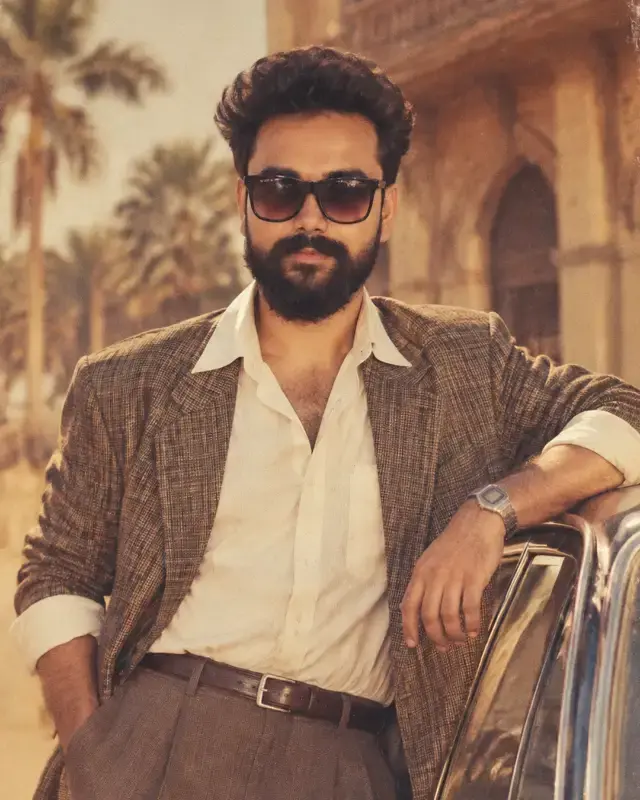
Prakash Sharma is the founder of Prompts Hub — India's growing AI prompt library. With a background in digital marketing and content strategy, he specializes in helping small businesses, creators, and brands leverage AI tools for content creation, product photography, and marketing at scale.
Access 500+ AI Scripts & Ideas
Handcrafted prompts for photography, e-commerce, branding & more — ready to copy instantly.